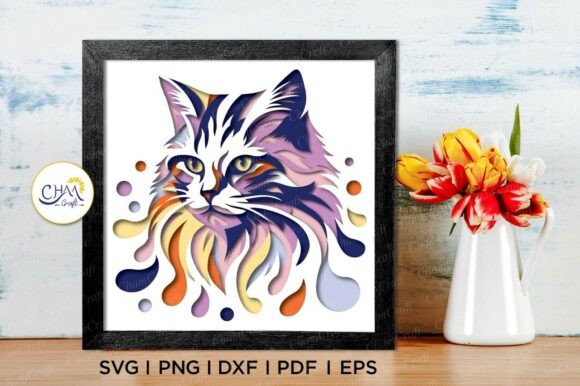
Exploring the 3D Cat Sunflower Shadow Box SVG and Its Creative Potential
What Is a 3D Cat Sunflower Shadow Box SVG?
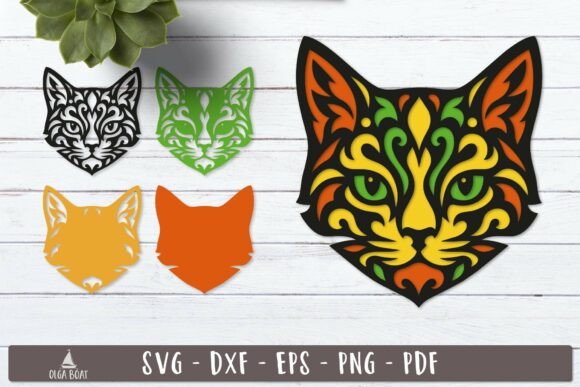
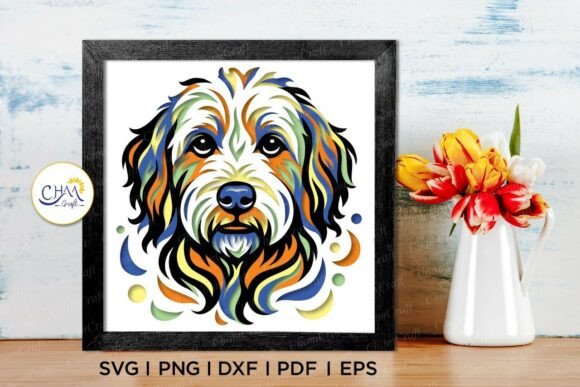
The 3D Cat Sunflower Shadow Box SVG is a digital design template that allows crafters to create intricate, layered shadow box art using cutting machines like Cricut or Silhouette. This design combines the whimsical charm of a cat with the vibrant appeal of a sunflower, all presented in a three-dimensional format that adds depth and visual interest to any project.
Designed to measure 8×8 inches, this SVG template is ideal for crafting light boxes, wall art, greeting cards, and other decorative items. It comes with multiple layers that, when cut and assembled, create a dynamic, shadow-effect display that mimics the appearance of a real 3D sculpture.
Understanding the File Formats Included
One of the key features of this digital product is its compatibility with a wide range of design software and cutting machines. The package includes the following file formats:
- PNG – Ideal for hand-cutting due to its transparent background
- SVG – Perfect for use with Cricut Design Space and Silhouette Designer Edition
- DXF – Compatible with Silhouette Studio
- EPS – Works with Adobe Illustrator, Make the Cut, CorelDraw, and Inkscape
- PDF – A universal format for viewing and printing
- Silhouette Studio File – Ready to use directly in Silhouette software
This variety ensures that users with different tools and software preferences can easily integrate the design into their workflow without compatibility issues.
How to Use the 3D Cat Shadow Box SVG Template
Using the 3D Cat Shadow Box SVG is a straightforward process, especially for those familiar with digital crafting tools. Here’s a step-by-step guide to help beginners get started:
- Download and Extract Files: After purchasing the digital product, users will receive a zipped folder. It’s important to extract the files before attempting to open them.
- Choose Your Software: Depending on the cutting machine you own, select the appropriate file format (SVG for Cricut, DXF for Silhouette, etc.).
- Resize with Care: While the design is scalable, caution should be taken when reducing the size. Smaller details may become too fine for accurate cutting.
- Select Materials: These shadow boxes are often made from cardstock or thin paper. Choosing the right material ensures clean cuts and an elegant finish.
- Cut and Assemble: Use your cutting machine to produce each layer of the design, then assemble them using foam tape or glue to create the 3D effect.
Why the 3D Layered SVG Paper Cut Light Box Matters
The 3D Layered SVG Paper Cut Light Box is more than just a decorative craft—it represents a growing trend in personalized, digital-based creativity. These light boxes can be customized for different themes, occasions, and color schemes, making them versatile for both personal and commercial use.
They are especially popular for:
- Home décor
- Gift-giving
- Wedding favors
- Seasonal decorations
- Artistic expression
By incorporating LED lights behind the layered design, the shadow effect becomes even more dramatic, transforming a simple paper cut into a glowing piece of art.
Common Misconceptions About SVG Files and Digital Crafts
Despite the growing popularity of SVG files, some misconceptions still exist. One of the most common is that SVG files are only for professional designers. In reality, many SVG templates—like the 3D Cat Sunflower Shadow Box SVG—are designed with beginners in mind and come with clear instructions for use.
Another misconception is that digital crafts are less valuable than physical products. However, digital downloads offer several advantages:
- Instant access – No shipping delays or waiting for delivery
- Cost-effective – No packaging or shipping costs involved
- Eco-friendly – Reduces waste and environmental impact
- Reusable – Can be used multiple times for different projects
Practical Tips for Working with 3D Shadow Box SVGs
Whether you're a seasoned crafter or just starting out, here are some helpful tips to ensure the best results when working with 3D shadow box SVGs:
- Test with Scrap Material: Before cutting your final design, test on scrap paper to ensure your machine settings are correct.
- Use High-Quality Materials: Thicker cardstock or specialty paper can enhance the durability and visual appeal of your finished project.
- Experiment with Color: Try different color combinations to see how they affect the shadow effect and overall aesthetic.
- Layer Thoughtfully: Pay attention to the order of layers to achieve the desired depth and dimension.
- Store Files Properly: Organize your digital files in a dedicated folder for easy access and future use.
Supporting Small Businesses Through Digital Crafting
Purchasing digital products like the 3D Cat Shadow Box SVG supports small, independent creators who design and sell their work online. These creators often invest significant time and effort into developing unique, high-quality content that reflects their passion for design and craftsmanship.
By choosing to support these businesses, crafters not only gain access to beautiful, ready-to-use designs but also contribute to a thriving creative economy. As the digital crafting market continues to grow, so does the opportunity for artists and designers to share their work with a global audience.
Conclusion: Embracing Creativity with 3D Shadow Box SVGs
The 3D Cat Sunflower Shadow Box SVG and similar designs offer a unique blend of artistry, technology, and personal expression. Whether you're looking to create a custom gift, enhance your home décor, or explore a new hobby, these layered SVG templates provide a fun and rewarding way to bring your ideas to life.
With their compatibility across multiple platforms, ease of use, and stunning visual impact, 3D shadow box SVGs are a valuable addition to any crafter’s toolkit. So why not take the plunge and start experimenting with these beautiful, layered designs today?